Run the SAME ADS I run for the artists who PAY ME $500 a song
I recorded 2 hours 33 minutes of screen shares building a campaign from nothing. My ad account, my clicks, the same steps I follow when somebody pays me to do it for them.
0
Lessons
2 h 33 m
Of screen shares
0+
Streams from the campaigns below
×10
Cheaper than paying me to run it
These are releases I promoted myself with this exact setup, and they add up to 1,515,000 streams between them. Every one of them has a full write-up on my case studies page.
850,000+streams
Edits Project
Soul
- Ad budget
- $1,000
350,000+streams
Grayson Repp
Progressive House
- Ad budget
- $500
135,000+streams
ARTÉ
Electro House
- Ad budget
- $500
95,000+streams
Kepa
Afrobeat
- Ad budget
- $1,000
72,000+streams
Karner H
Tech House
- Ad budget
- $500
13,000+streams
Anonymous artist
Reggaeton
- Ad budget
- $250
- Cost / conversion
- $0.10
Your song, your genre and your budget all change what happens, so I am showing you what the system has done rather than promising you a number. Some of these had playlist promotion running alongside the ads, and each case study says so. See all of them on my case studies page.
Here is how it works
Get set up properly
What ads actually do for a release, what to expect at every budget level, and the checklist of things that need to be in place before you spend a dollar.
Cut the ad
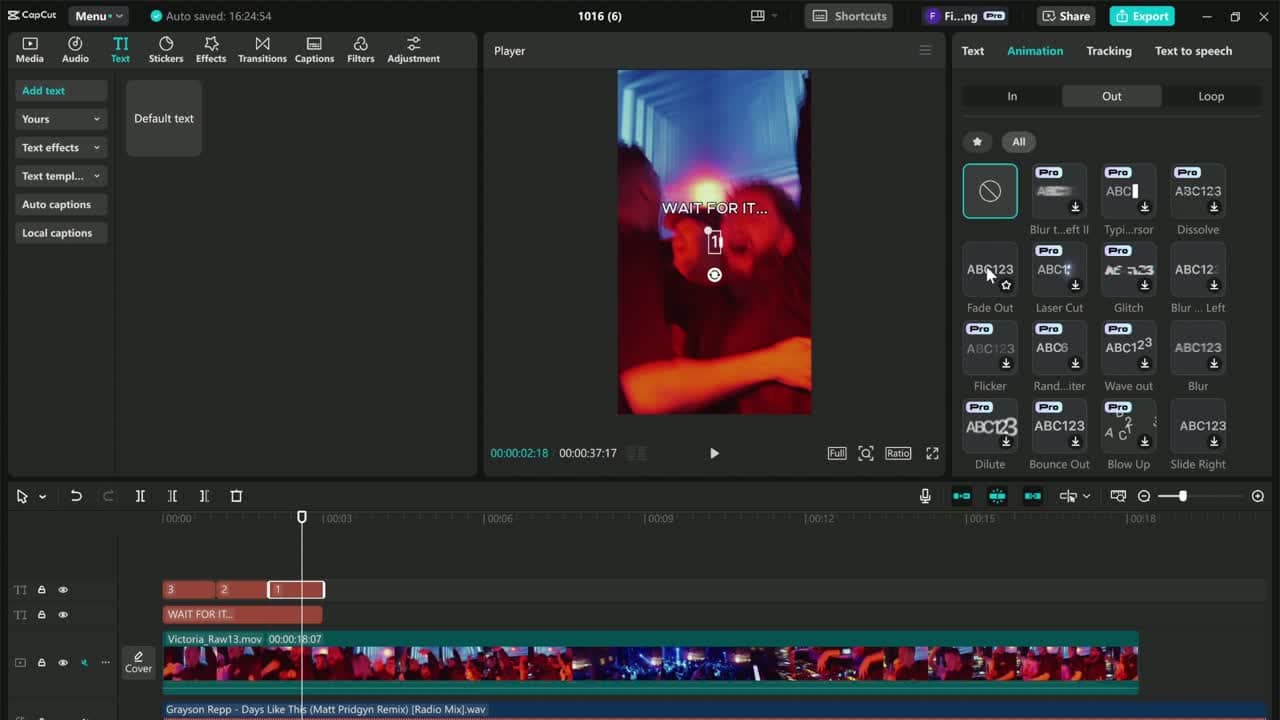
The longest lesson in the course. I pick the part of the song, cut the video, and build the creative on screen from a blank timeline. Then a newer lesson on the ad styles going viral in 2026 and 2027, so your creatives stay ahead of the feed.
Build the landing page
Where the click goes. I set a smart link up from scratch, in about seven minutes, on a free tool. You do not need a website.
Launch the campaign
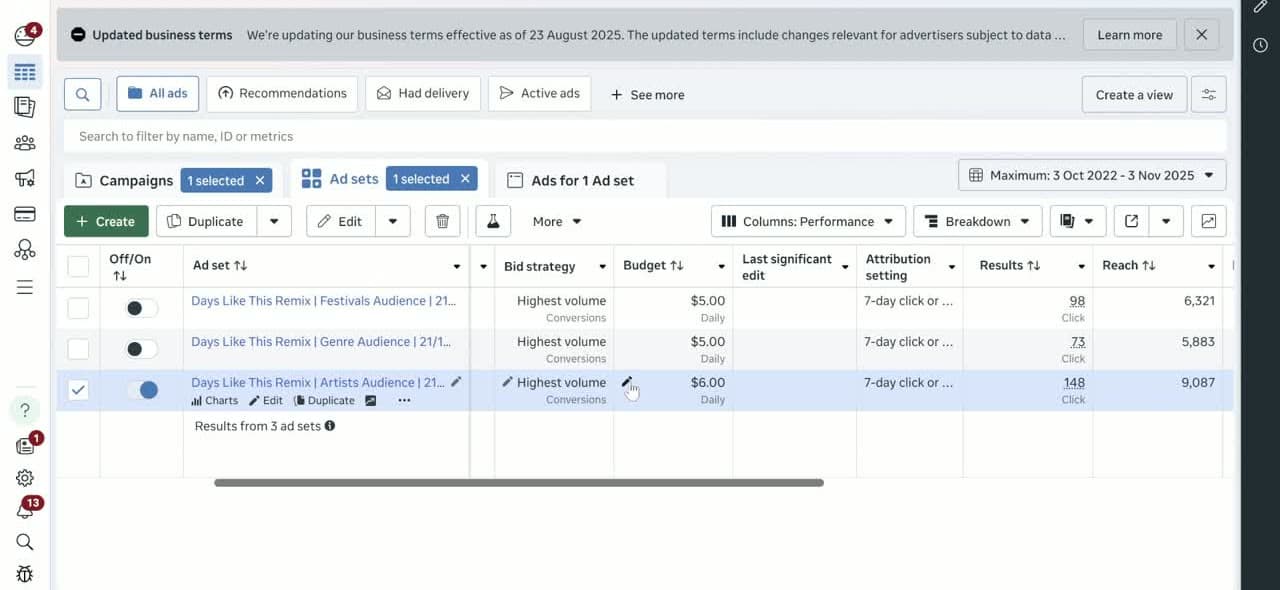
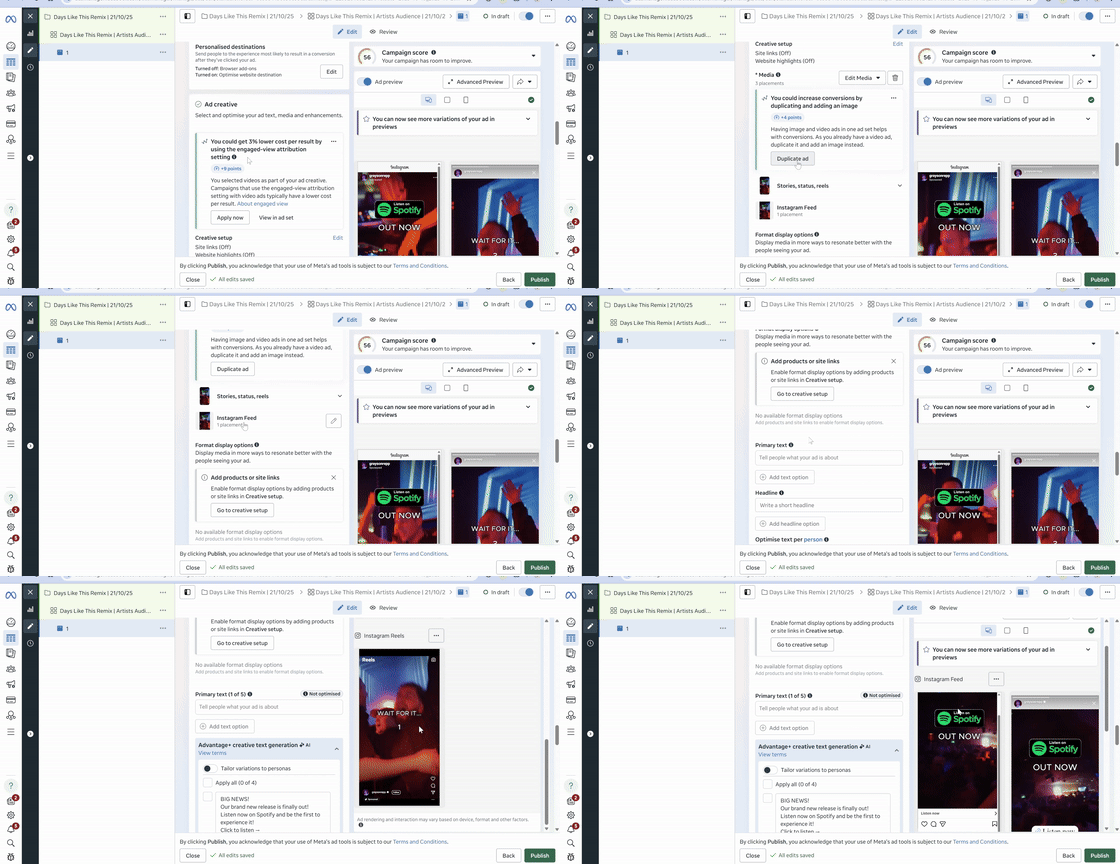
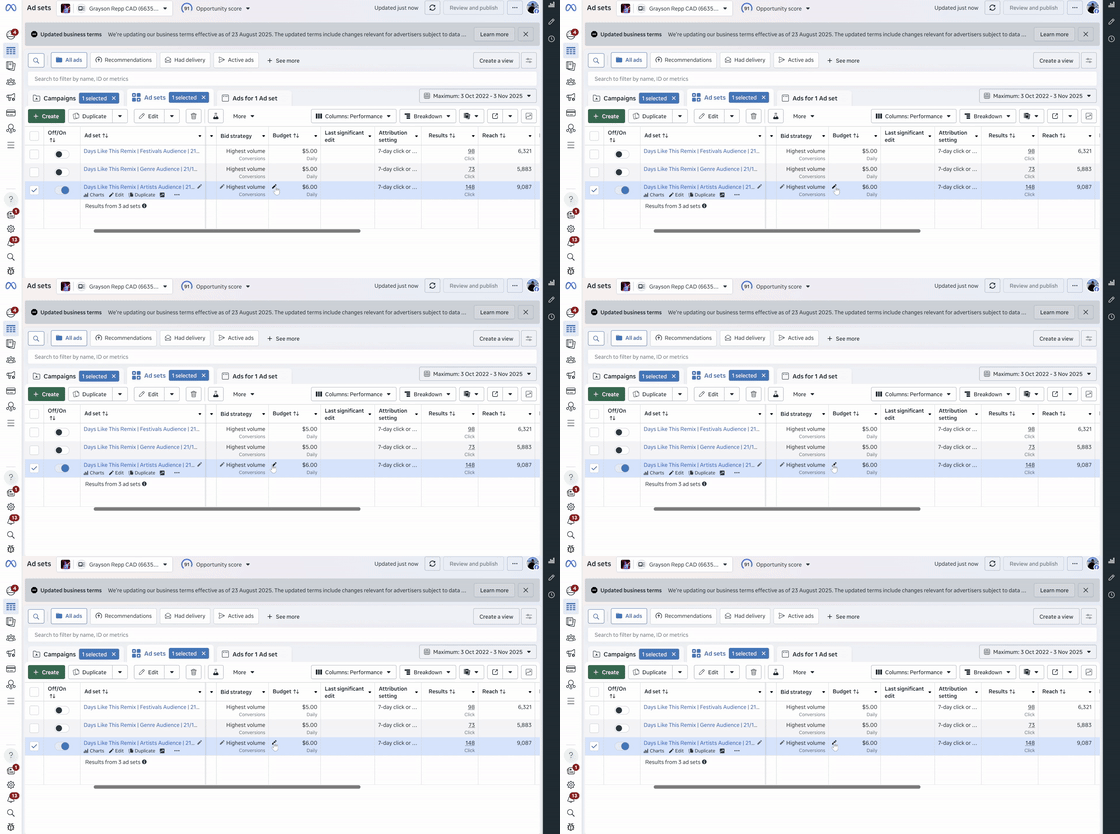
The full build inside Meta Ads Manager, including how I structure the ad sets and split the budget between them.
Read the numbers
Which figures matter, which ones to ignore, when to scale an ad set or turn it off, and what to do when the campaign will not spend.
Turn the listeners into fans
The part most artists skip. What to do with the people the ads brought you, so your next release starts warmer than this one did.
The whole thing, on my screen
So here is the honest version. I run Meta ads for independent artists, and I charge $500 to set a campaign up and manage it for one song. A lot of people who email me cannot spend that on top of an ad budget yet, and I kept sending them the same long answers about how I do it.
I basically recorded all of those answers properly. There is no theory section and no slides. Every lesson is my screen, my ad account, and the same order I work in when a client is paying for it.
The longest lesson is 44 minutes of me building the ad itself, because that is the part people get wrong most often.
Why boosting a post keeps losing you money
Boosting is the button the app puts in front of you, and it is set up to buy taps. You get a number that goes up and almost nothing that turns into a listener. That is the part people mean when they tell me ads did not work for them.
A campaign built properly costs the same money and does a different job. Here is what changes.
Boosting a post
- You boost a post, because that is the button Instagram puts in front of you.
- The campaign is set up to buy clicks, so you pay for taps that never become listens.
- The audience is left wide open, and the budget spreads across people who were never going to care.
- The click lands somewhere that gives people nothing to do, and they leave.
What the course builds
- You build the campaign in Ads Manager, where the settings that matter actually live.
- It is set up to buy listeners, and you can see what each one cost you.
- The audience is built for the music you make, and lesson 7 is where I do it on screen.
- The click lands on a page built to turn a listener into a follower.
10 lessons, 2 hours 33 minutes
Watch them in order the first time. After that you will come back to lessons 4, 7 and 10 every release. Open any of them to see what is in it.
1Introduction
4 min
Introduction
4 min
What this course covers and how to work through it. Start here so the order of the rest makes sense.
2Why & How To Use Ads
22 min
Why & How To Use Ads
22 min
Why ads work for a release when organic posting stalls, and what a sensible budget looks like at every level.
3Before We Start [Checklist]
6 min
Before We Start [Checklist]
6 min
Everything that needs to be in place before you spend a dollar. Go through this list first, it saves money later.
4How To Create Winning Ads
44 min
How To Create Winning Ads
44 min
The longest lesson in the course. I build ad creatives on screen, from picking the part of the song to cutting the video.
5More Winning Ads
4 min
More Winning Ads
4 min
The ad styles pulling the most attention in 2026 and 2027. I walk through how to build fresh creatives with real viral potential, so your ads keep working as the feed changes.
6How To Create A Landing Page
7 min
How To Create A Landing Page
7 min
Where to send the click. I set up a smart link from scratch so people land somewhere that converts.
7How To Create An Ad Campaign
22 min
How To Create An Ad Campaign
22 min
The full campaign build inside Meta Ads Manager, including how I structure ad sets and split the budget between them.
8Analyzing Results & Making Adjustments
13 min
Analyzing Results & Making Adjustments
13 min
Which numbers matter, which ones to ignore, and when to scale an ad set or turn it off.
9Troubleshooting
24 min
Troubleshooting
24 min
What to do when the campaign will not spend, the cost per click climbs, or the account gets restricted.
10How To Turn Listeners Into Fans
7 min
How To Turn Listeners Into Fans
7 min
The part most artists skip. What to do with the people the ads brought you so the next release starts warmer.
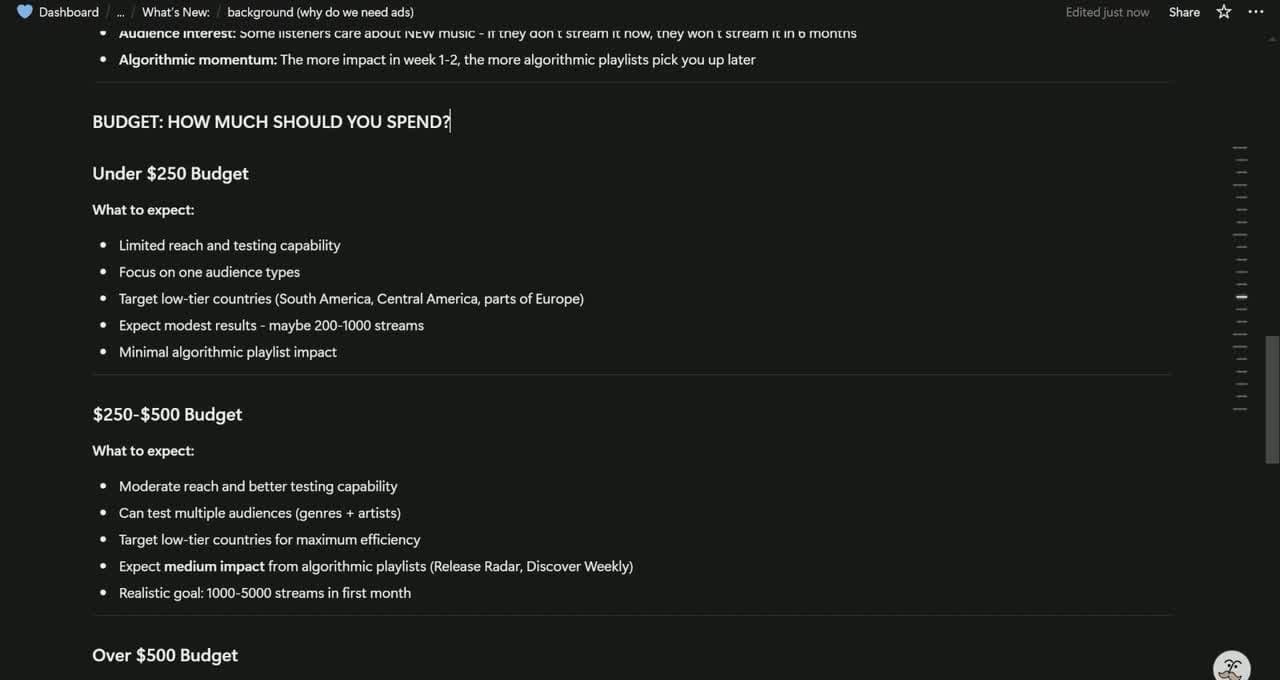
What the $47 gets you
Lessons, start to finish
2 hours 33 minutes of screen shares, from the empty ad account to reading the results.
Minutes on the ad build alone
The creative is where most campaigns are won or lost, so it gets the longest lesson.
Subscription, forever
You pay once and keep it. There is no renewal and no expiry date on your login.
Releases you can run it on
You learn it once and use it on every song you put out after that, forever.
Free updates
When I add lessons later they show up in your dashboard and you pay nothing more.
Links and downloads
The editor, the tier 2 country list, the free landing page tool and the troubleshooting guide.
This is you if
- You have a song out, or one coming, and you want more than your friends to hear it.
- You have boosted a post before and watched the money go without much coming back.
- You can put at least $250 behind a release.
- You would rather learn this once than pay someone every time you put out a song.
- You are fine spending an evening watching screen shares and taking notes.
Skip it if
- You are looking for a way to grow without spending anything on ads.
- You want somebody else to run the campaign for you. I do that too, and it costs $500 for the song on top of your ad budget.
- You want the playlists and the social content handled alongside the ads. That is what I do when you work with me: the whole release, not only the campaign.
10 times less than paying me to do it
I run the campaign
The done-for-you service
$500
You pick the song and how much you want to spend, I do the setup, the creatives and the day to day management. Your ad budget goes straight to Meta through your own account, so I never touch it.
See the ad serviceYou do it yourself
Label Level Ads
$47
The same system, on my screen, for as many releases as you ever put out. One payment, no subscription, and new lessons arrive free.
Get the courseOr the whole release, not only the ads
When you work with me, I plan and run the playlist pitching, the social content in the weeks before it lands, and the campaign behind it, all together the way a label would do it.
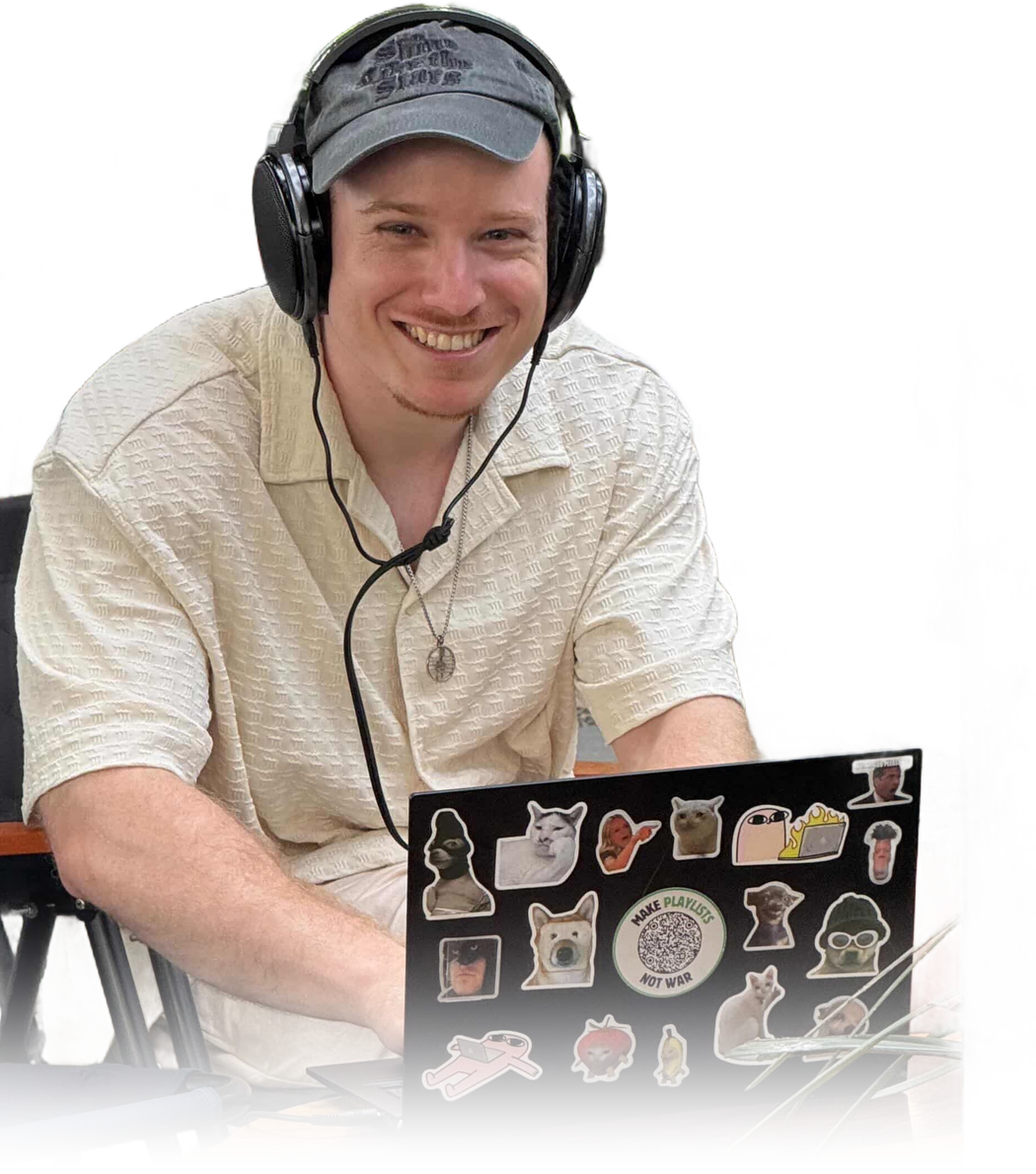
I am Finch
I have been doing this for 3 years. I run releases for independent artists, I review songs as a curator on SubmitHub, and I put out a newsletter and a podcast called More Than Streams.
I am not going to tell you ads fixed everything for me straight away. My first campaigns went nowhere and I spent money finding out why. What is in this course is the version that came out the other side of that.
100M+
Listeners reached through campaigns
100,000+
Saves across my playlists
300+
Musicians through my programs
50,000+
Songs reviewed as a curator
Your next release can have ads behind it
You get all 10 lessons the moment you pay, and the whole system is yours to run whenever you put out a song.
You pay once and keep the course. Your email becomes your login, and access lands in your inbox right after the payment.
Secure payment through Stripe. Already bought it? Log in here.
The rest of it
I tried ads before and lost the money.
That is the normal first experience, and it is usually one of three things. The campaign was set up to buy clicks instead of listeners, the audience was too broad, or the ad was sent to a page that gave people nothing to do. Lessons 4, 7 and 8 are about those three things.
I am not technical.
Every lesson is my screen with my voice over it. You see where I click and why. The longest lesson is me building an ad from a blank timeline, so you can pause and copy what I do.
My budget is small.
One of the campaigns on this page ran on $250 and brought 13,000 streams at ten cents a conversion. Lesson 2 goes through what to expect at every budget level, so you can decide before you spend.
I do not have a landing page.
Lesson 6 builds one from scratch, on my screen, in seven minutes. You do not need a website.
How long do I keep it?
You keep it. There is no subscription and no expiry. If I add lessons later, they show up in your dashboard and you pay nothing more.
Do you give refunds?
No. The course is digital and you get every lesson the moment you pay, so there are no refunds. Everything you are buying is listed on this page, and if you want to check something first you can email me before you buy.
How much do I need to spend on ads?
At least $250 behind a release. Below that the campaign cannot gather enough data to learn who your listener is, and you end up paying for the lesson without the result.
Is this Facebook and Instagram only?
Yes. Everything is built in Meta Ads Manager, which covers both.
Do I need an audience already?
No. Every campaign in the course starts from a cold audience.
Will this work for my genre?
The campaigns on this page cover soul, house, afrobeat, indie pop, reggaeton and singer-songwriter. The setup is the same, and lesson 7 covers how to pick the audience for the music you make.
How is this different from Label Level Playlists?
This one puts money behind a song so people hear that song. Label Level Playlists builds a playlist you own and grows it, which is a different campaign with a different landing page and a different way of measuring it. A lot of people end up doing both.
Anything else, email me at hello@morethanstreams.com. I answer these myself.